Spam vs Phishing: What’s the Difference and Why It Matters
Confused about spam vs phishing? Spam is unwanted junk, while phishing is a cyberattack designed to steal your data. This guide explains the difference between spam and phishing emails, shows real-world examples, and shares proven strategies to protect yourself.

On this page 9 sections
Many people still ask the same question: “What is the difference between spam and phishing?” At first glance, they may look the same, unwanted emails landing in your inbox. But the truth is, spam and phishing are not the same thing. Understanding the difference between spam and phishing emails can protect you from falling victim to cyberattacks that cost businesses millions every year.
In this guide, we’ll break down spam vs phishing, provide real examples, and explain how to defend against both in 2025.
What Is Spam?
Spam refers to unsolicited, bulk messages sent to a large number of recipients. Think of it as digital junk mail. Most spam emails are used for advertising products, shady services, or scams that are not personalized to you.
Goal of spam:
Promotion, advertising, or mass distribution.
Examples of spam emails:
- Fake weight loss products.
- “Get rich quick” investment schemes.
- Irrelevant offers from unknown companies.
While spam is annoying, it’s usually less dangerous than phishing. However, spam can still expose users to malware if they click unsafe links.
What Is Phishing?
Phishing is far more dangerous. It is a targeted cyberattack designed to trick you into sharing sensitive data such as passwords, credit card numbers, or personal information. Check our guide to learn what is phishing and how it works.
Goal of phishing:
Steal information or gain access to systems.
Examples of phishing emails:
- Fake bank login requests.
- “Your account has been suspended” notices.
- Emails pretending to be from Microsoft, Google, or your company’s IT team.
Check this article to get more details on common phishing examples.
Unlike spam, phishing attacks often look legitimate and exploit trust to make victims click.
Spam vs Phishing: The Key Differences
Here’s the difference between spam and phishing emails in simple terms:
- Spam = mass, unwanted, irrelevant messages (annoying but often harmless).
- Phishing = targeted, malicious attempts to steal information (very dangerous).
Think of spam as noise in your inbox, while phishing is a trap.
Keepnet platform
Turn awareness into secure behaviour
Training, multi-channel phishing simulations and reporting in one platform, measured by behaviour.
Why People Confuse Spam and Phishing
It’s common for people to say things like, “Spam and phishing emails are the same thing.” But that’s not accurate. Both end up in your inbox, but the intention behind them is completely different.
- Spam = commercial nuisance.
- Phishing = cybercrime.
This confusion is why search terms like “spam vs phishing”, “phishing vs junk”, and “what’s the difference between spam and phishing emails” are popular on Google.
Examples: Spam vs Phishing in Action
Let’s make it practical.
- Spam email example: “Buy our miracle skin cream for only $19.99! Limited time offer.”
- Phishing email example: “Your PayPal account has been locked. Click here to verify your password.”
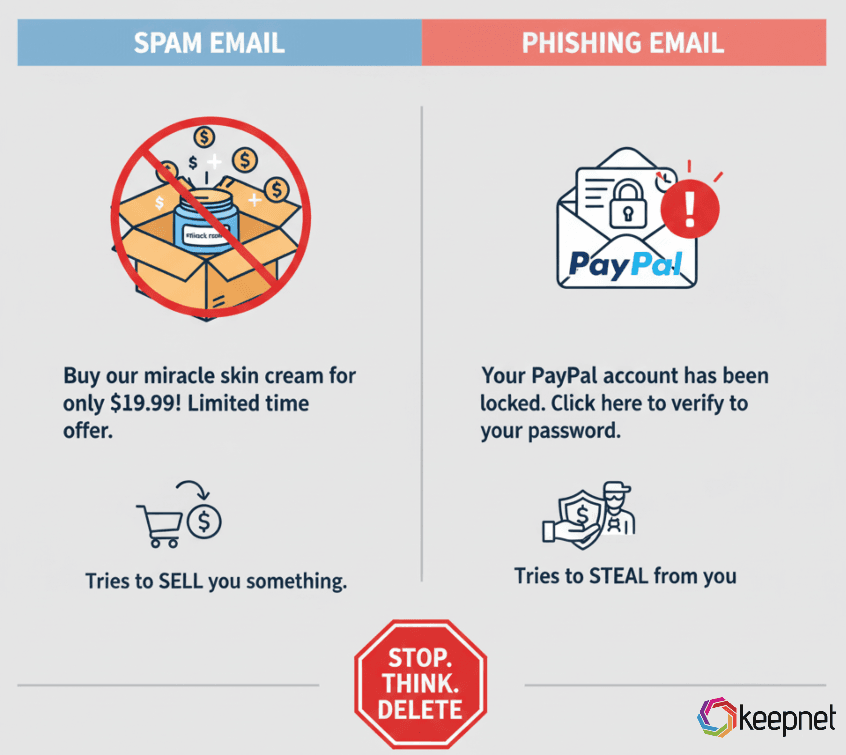
The first is trying to sell you something. The second is trying to steal from you.
How to Recognize Spam and Phishing Emails
To protect yourself, look out for these signs:
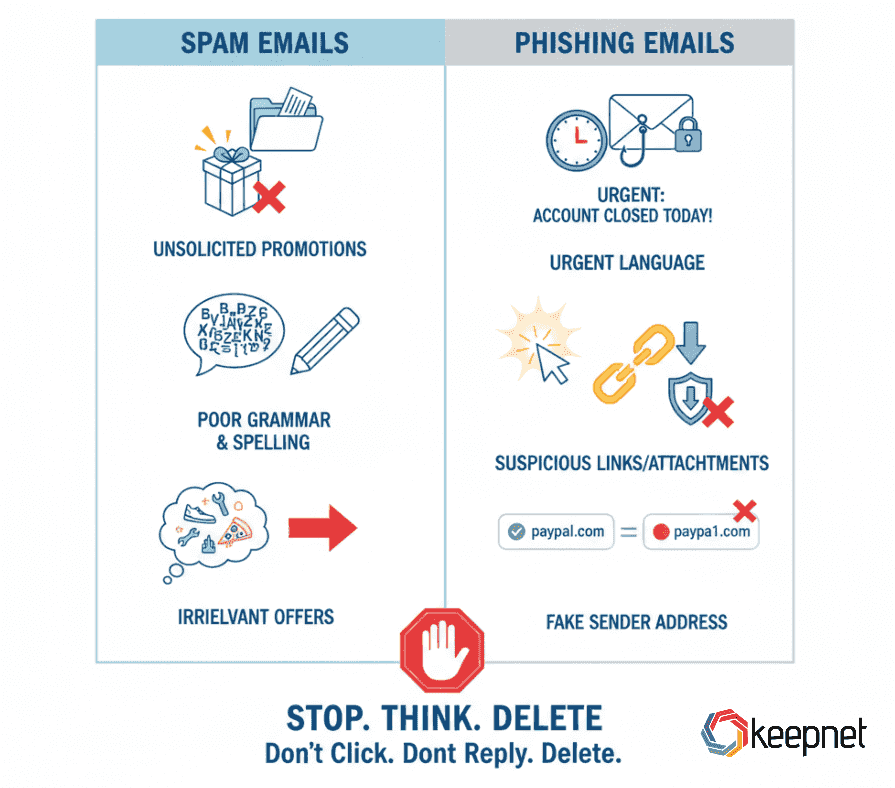
Signs of Spam
Unsolicited promotions.
- Poor grammar and spelling.
- Irrelevant offers.
Signs of Phishing
Urgent language (“Your account will be closed today”).
Suspicious links or attachments.
Sender address doesn’t match the real company.
Business Risk: Why Spam and Phishing Matter in 2025
For individuals, spam is an inconvenience. For businesses, phishing is a top security threat. According to cybersecurity reports, over 90% of successful cyberattacks start with a phishing email.
Attackers are also evolving. Today, phishing comes not just by email but also via SMS (smishing), voice calls (vishing), QR codes (quishing), and even deepfake phishing.
How to Protect Yourself from Spam and Phishing
- Use spam filters: Most email providers can block bulk junk mail.
- Train employees: Security awareness training reduces phishing risks.
- Verify before clicking: Hover over links and check senders.
- Report suspicious emails: Don’t just delete; help your organization track threats.
- Use phishing simulators: Companies can test employee resilience safely.
Protecting Against Spam and Phishing with Human Risk Management
Understanding spam vs phishing is more than a vocabulary exercise. It’s a matter of protecting your personal data and your business.
Spam is junk; phishing is a weapon. Knowing the difference helps you respond correctly.
At Keepnet, we help organizations reduce human risk by providing:
- Security Awareness Training
- Phishing Simulations (including voice, SMS, QR, and MFA-fatigue phishing).
Frequently asked questions
No. Spam is unwanted bulk messaging, while phishing is a targeted attack to steal your data.
Spam wastes time, phishing steals information. That’s the core difference between spam and phishing emails.
Spam can be annoying, and sometimes harmful if it carries malware, but phishing is always more dangerous.
Do not click links. Report it to your IT or security team immediately.
Yes. While most spam is just unwanted advertising, some spam emails contain malicious links or attachments that can lead to phishing or malware. Always treat unknown emails with caution.
Phishing is more dangerous than spam. Spam mainly wastes time and clutters inboxes, but phishing is designed to steal money, data, or identities.
You can reduce spam and phishing by using spam filters, reporting suspicious emails, and training employees to recognize threats. Businesses should also run phishing simulations to prepare staff.
Phishing often disguises itself as spam to slip past filters. Attackers deliberately use bulk-mail tactics but hide malicious intent inside, making them look similar at first glance.
Schedule your 30-minute demo now
You'll learn how to:
- Distinguish between spam and phishing emails with advanced alert triggers!
- Customize your phishing campaigns to test your organization's email defenses.
- Analyze reports to identify loopholes and reinforce your cybersecurity strategy.
30 minutes with a Keepnet specialist, on your own use cases.

Author
Ozan Ucar
Founder and CEO, Keepnet
Ozan founded Keepnet in 2017 and has worked in cyber security since 2006. He leads Keepnet's product direction and works with security teams on measuring and changing the behaviours behind incidents.