Quishing simulator



A quishing simulator for QR codes in email and on paper
See who scans, who reports and who learns from it.
Practise the pause before the scan
6,900+ QR code scenarios, email templates in 25 languages and 450+ printable ones.
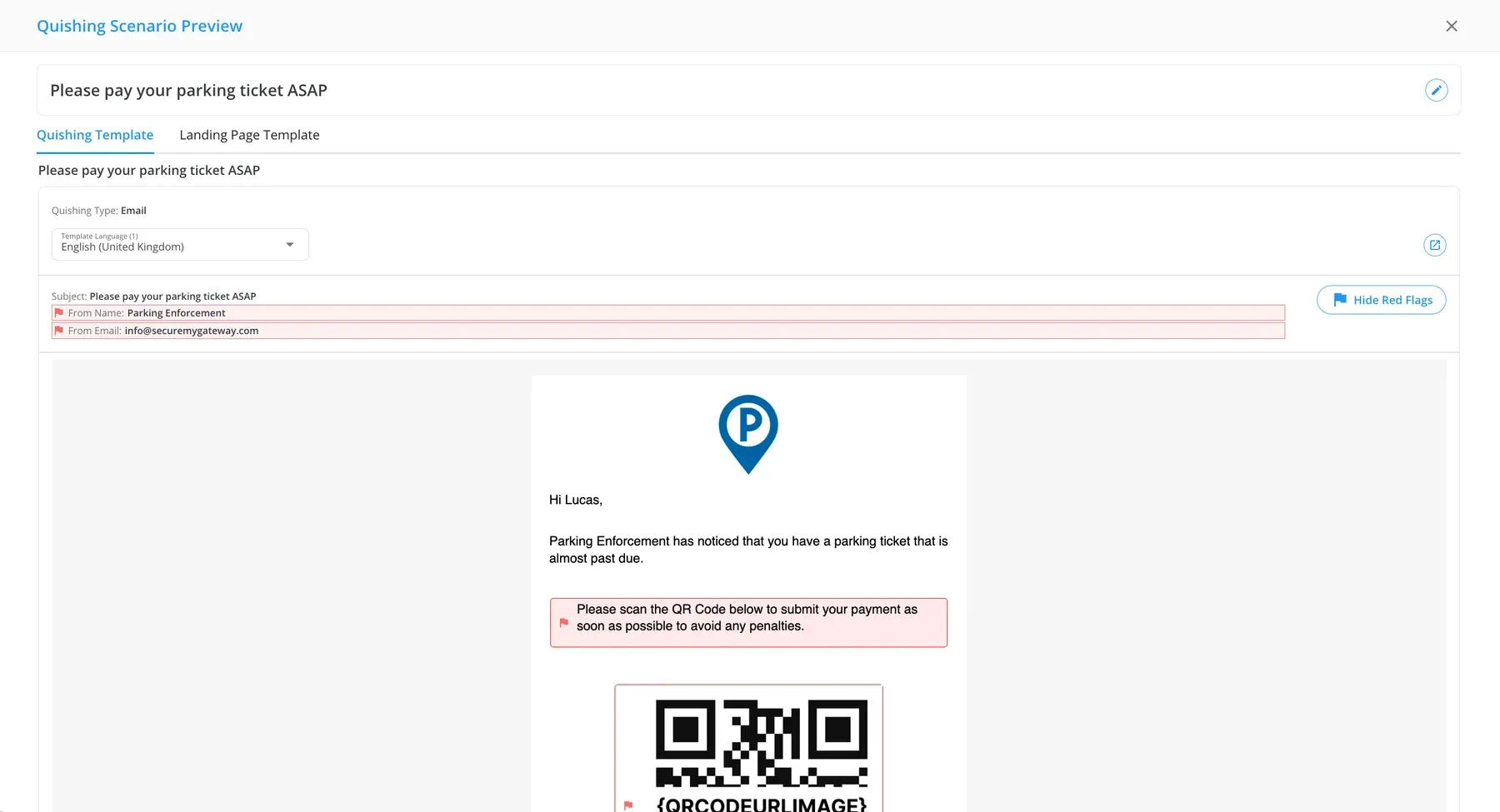
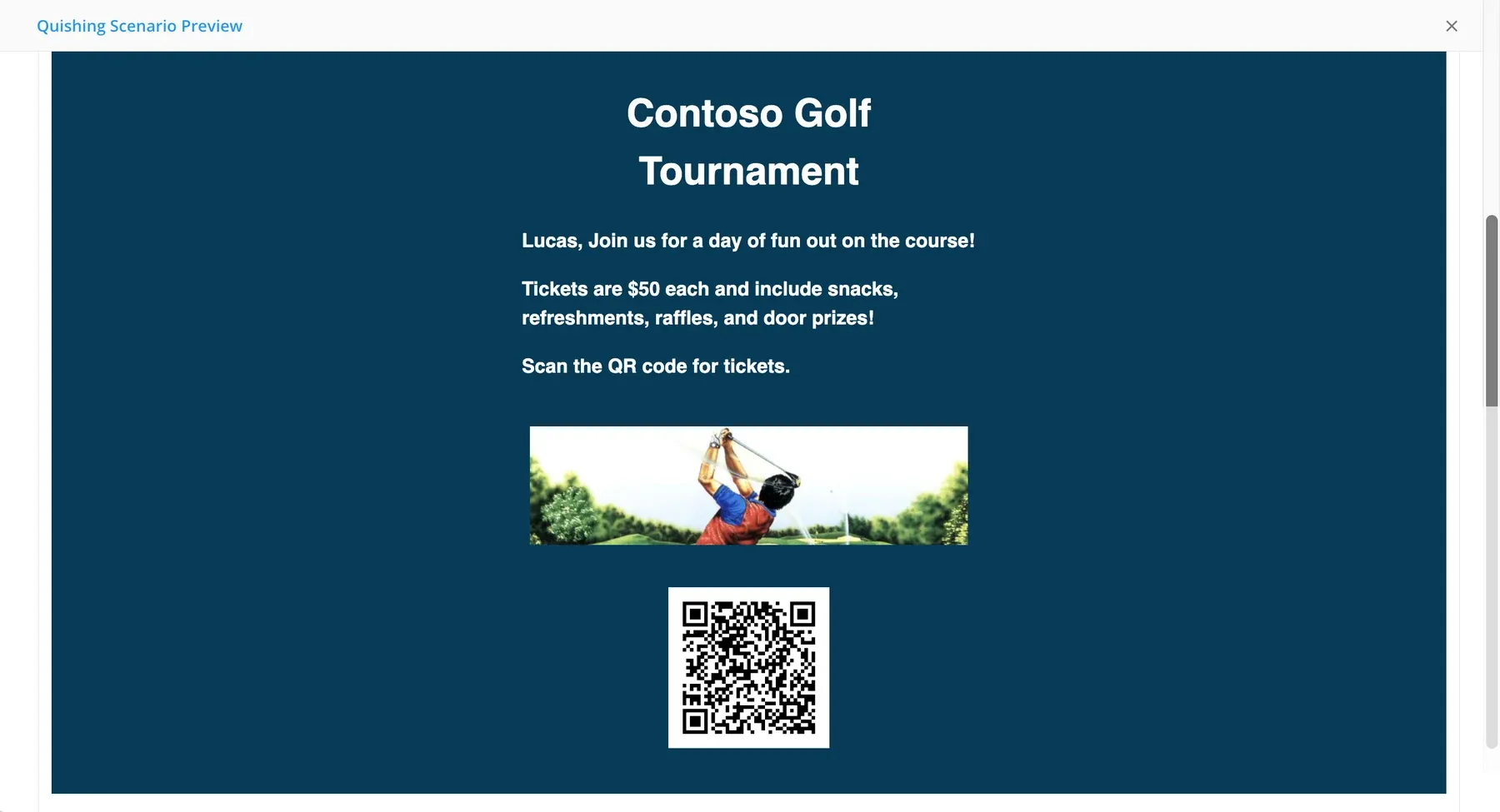
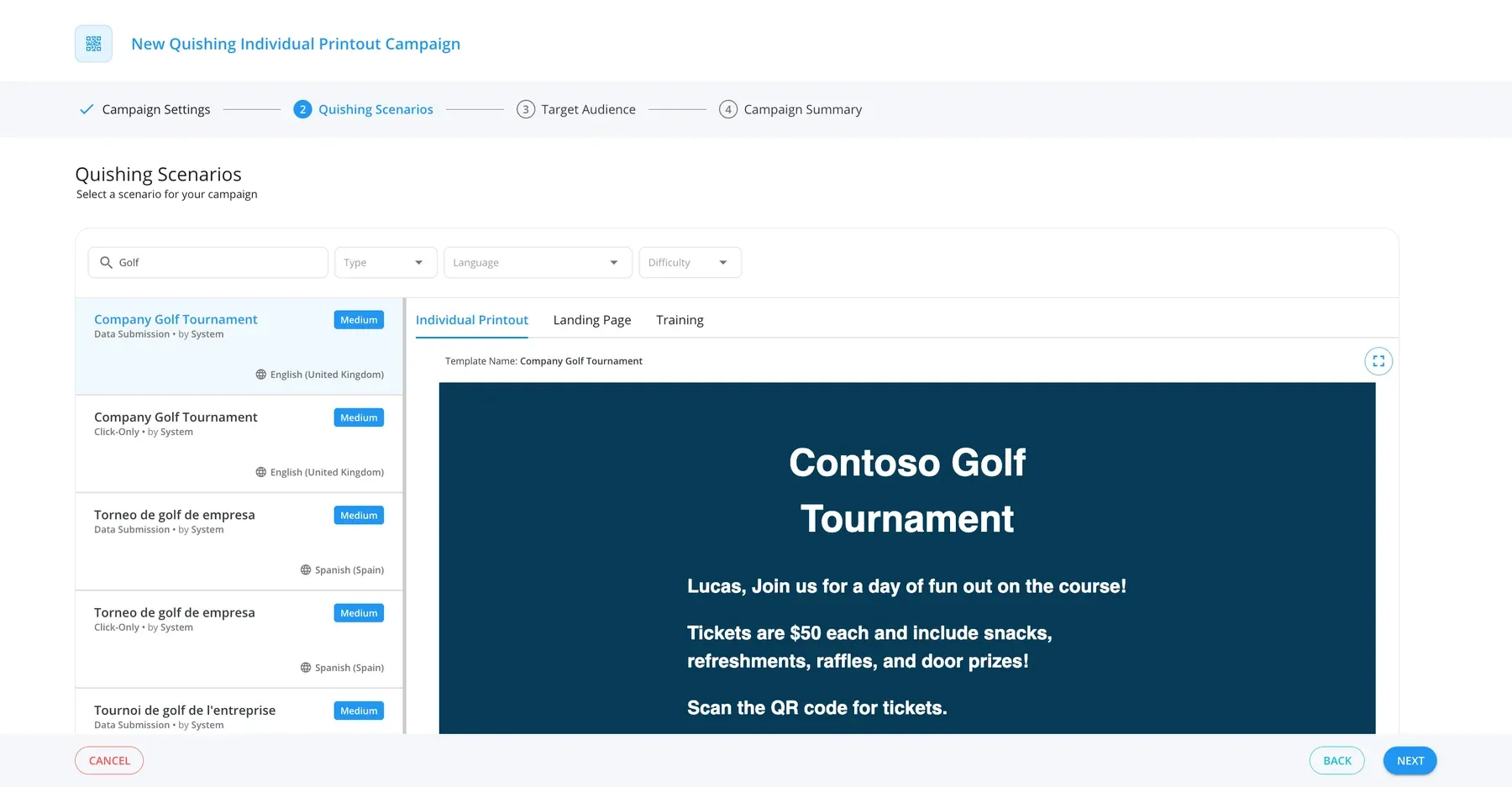
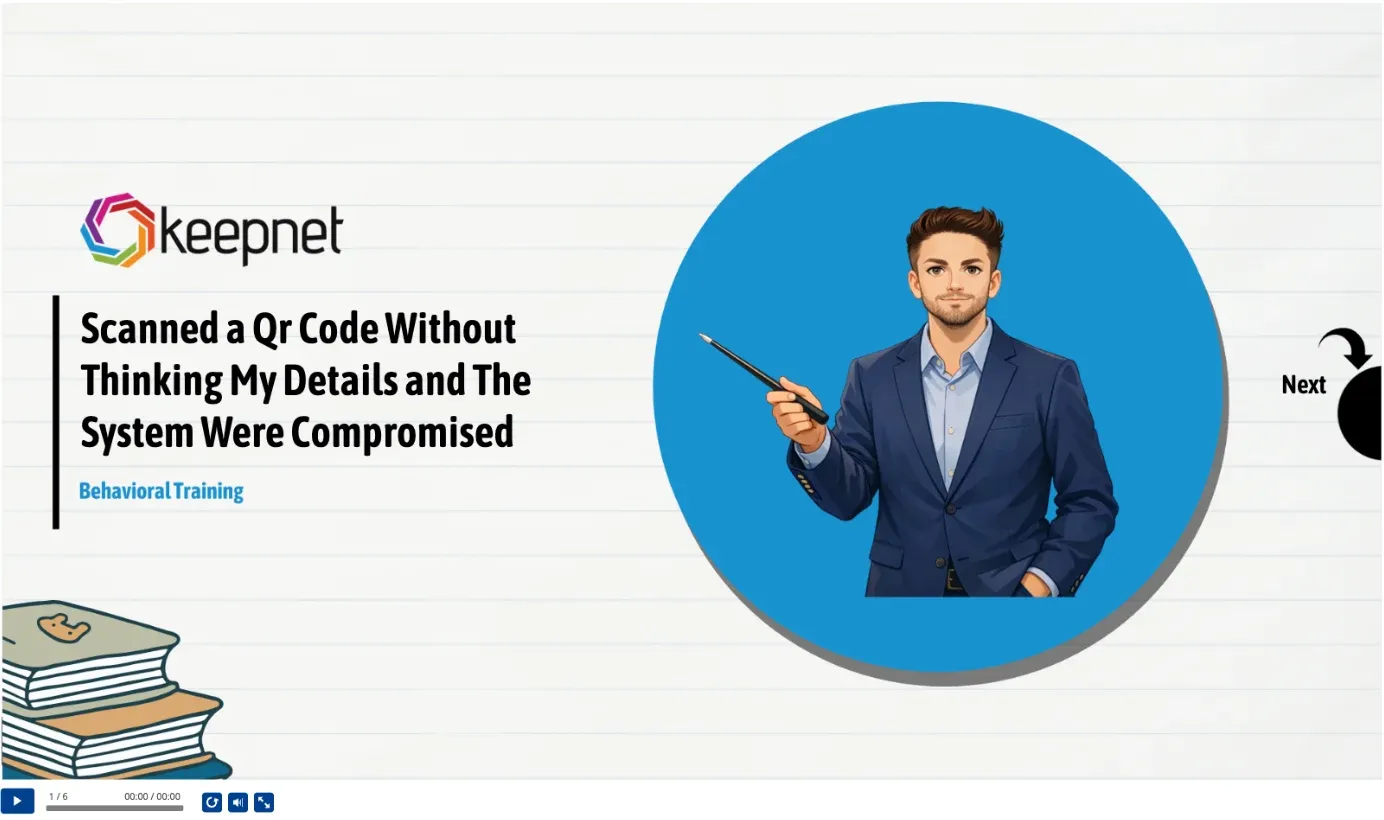
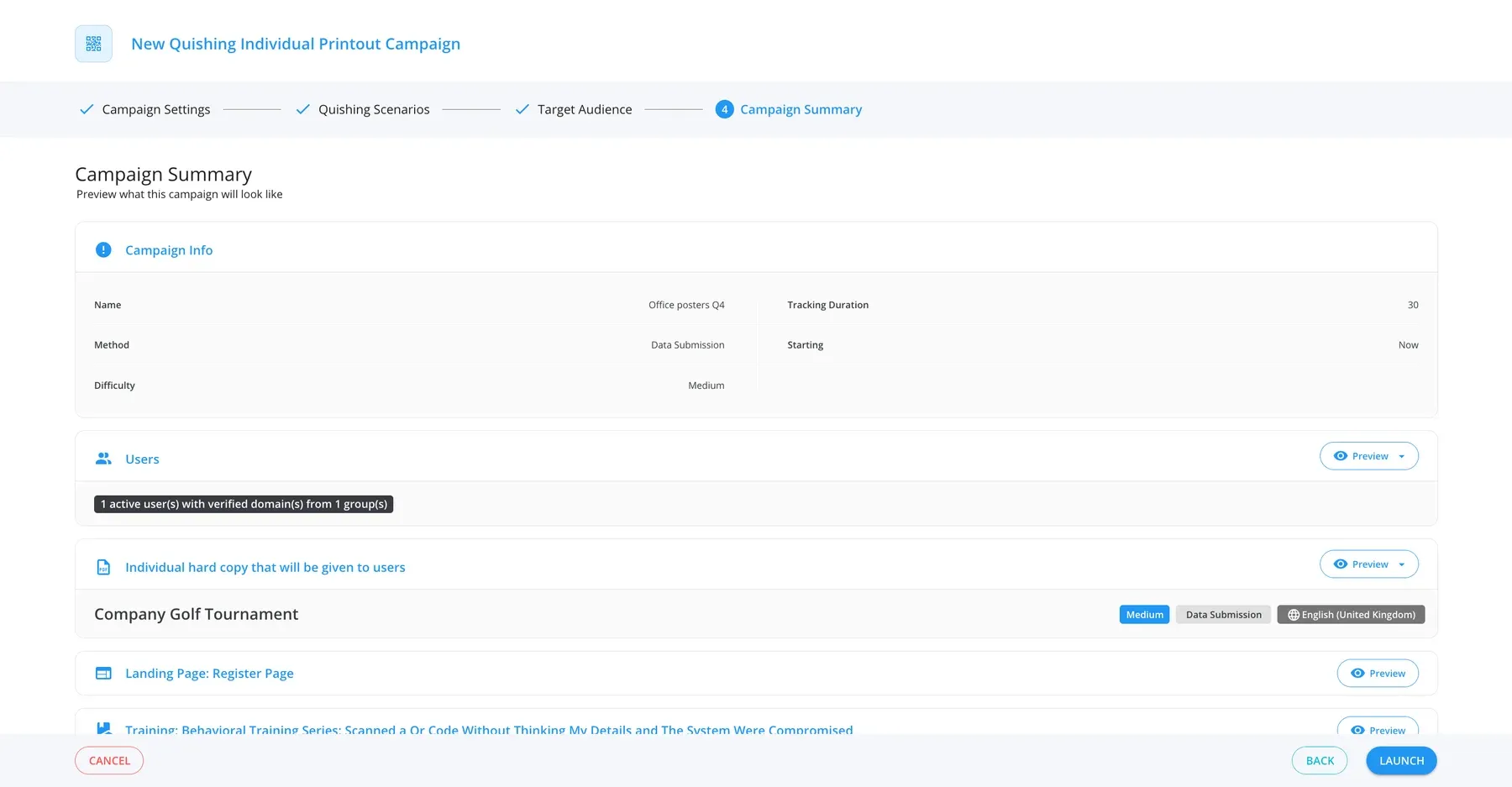
QR codes are one channel. Email, voice and SMS run alongside them in the multi-channel phishing simulator.
Trusted every day by security teams that measure behaviour, not attendance









QR codes need their own practice
How a quishing simulation works
Deliver, train, measure
1. Deliver
By email or on paper, in each employee's language.
- Email by SMTP or Direct Email Creation
- A printout for each employee
- Sending spread over the hours you set
2. Train
Training follows the scan.
- Straight away or by email
- Reminders until it is complete
- A certificate at the end
3. Measure
A result for each employee, stage by stage.
- Opened, scanned, submitted
- Reported with one click
- Compared across campaigns
Choose the behaviour to practise
Click-only
Records the scan.
Data submission
Records what happens on the page after the scan.
MFA code
Practises the moment a code is asked for.
Double barrel
A follow-up message after the first one.
QR codes where employees meet them
- 6,900+QR code scenarios
- 5,800+email templates
- 25email template languages
- 450+printable scenarios
In the email
A QR code in place of a link.
On the wall
Posters and flyers printed for each employee.
In their language
One scenario, several language versions.
The teams that scan the most
Smart groups
Repeat clickers, new hires and untrained employees.
By site or role
Offices, stores and sites, as their own groups.
Sending hours
The days and hours you set, in your time zone.
AI prepares the scenario, you approve it
Red flags marked
AI marks the red flags in each template.
In your policy and tone
Agents create templates within your company policy.
Approval first
Nothing is sent until you approve it.
Employees report a suspicious QR code email in one click
One click to report
The Keepnet Phishing Reporter add-in, in the mail client.
The right behaviour, counted
A reported simulation shows on the employee’s record.
Suspicious emails analysed
Reports that are not simulations go to Incident Responder.
See whether quishing simulations change behaviour
A result for each employee, stage by stage, compared across campaigns.
Opened email
Last opened, times opened
Scanned QR link
Last scanned, times scanned
Submitted data
Password complexity rated, not stored
Reported
Last reported, times reported
Bot activity is flagged and can be hidden. See how results roll up in reporting.
Questions to ask a quishing simulation vendor
| Question | Keepnet |
|---|---|
| Can we run it on paper as well as email? | Yes, with a printout for each employee. |
| Which methods are covered? | Click-only, data submission, MFA code and double barrel. |
| Are submitted passwords stored? | No. Only their complexity is rated. |
| Does training follow the scan? | Yes, straight away or by email. |
| Where is the data kept? | In the region you choose. |
| Can we buy it on its own? | Yes. |
The evidence is published, not on request


Four current certifications, independently audited. Certificates and the full control set are published at doc.keepnetlabs.com/resources/compliance.
Pricing
Buy the quishing simulator on its own
Priced per employee, as part of the secure behaviour management platform.
See the plan prices- Pay only for what you runStart with one simulator and add the rest later.
- Priced per employeeThe more employees you cover, the less you pay per employee.
- Add to what you runQR code simulations alongside your email, voice and SMS simulations, in one console.
- Try before you commitTry and buy, or a proof of value with your own employees.
"It would be unfair to single out just one feature. The mail scenarios and customisable training modules are particularly excellent."
"It's a really great platform with a lot of flexibility to ensure our requirements are met. Onboarding was friendly, enjoyable, and thorough."
"It's super easy and intuitive to setup campaigns, whilst making it easier for end-users to report phishing emails."
"The product itself works great on day one and delivers immediate value as our team was able to get started with our phishing exercise program immediately."
"It has been consistent, reliable, and implementations over time shows that they really listen customer feedback."
"We've seen a noticeable improvement in how employees react to suspicious emails or phone calls- because they remember the stories."
"Within minutes, we can create realistic, scenario-based templates specific to our organization, reducing setup time while increasing the relevance of training."
"The simulations and campaigns are very customisable and realistic."
"Thanks to Keepnet's Incident Response tool, we reduced the e-mail analysis and response time, which used to take hours, to 2 minutes."
Keepnet Labs has a rating of 4.9 out of 5 based on 104 ratings in the Security Awareness Computer-Based Training market on Gartner Peer Insights as of October 2026. GARTNER is a registered trademark and service mark, and PEER INSIGHTS is a trademark and service mark, of Gartner, Inc. and/or its affiliates, and are used herein with permission. All rights reserved. Gartner Peer Insights content consists of the opinions of individual end users based on their own experiences, and should not be construed as statements of fact, nor do they represent the views of Gartner or its affiliates.
What buyers ask about quishing simulation
Short answers first. New to the topic? Read what quishing is.
A quishing simulation sends employees a harmless QR code, by email or on paper, and records who scans it, who goes further and who reports it.
Training follows the scan, so the result turns into practice.
You pick a scenario, the method and the employees, then launch. Keepnet delivers the email, or produces the printouts, and tracks each stage per employee.
Yes. An Individual Printout campaign produces a printout for each selected employee as a PDF, from 450+ printable scenarios such as posters and flyers.
Who opened the email, who scanned the QR link, who submitted data and who reported it, with dates and counts for each employee.
Click-only, data submission, MFA code and double barrel. Pick the one that matches the behaviour you want to practise.
Training can start straight away or arrive by email. Reminders go to employees who have not finished it, and a certificate to those who have.
No. The report rates password complexity from its length and first character. The password itself is not kept.
QR code phishing email templates come in 25 languages, across 6,900+ scenarios.
With the Keepnet Phishing Reporter add-in. A reported simulation counts as the right behaviour on the employee's record.
By SMTP, or by Direct Email Creation for Microsoft 365 and Gmail. Sending can be spread over the days and hours you set.
Yes. It can be bought on its own, priced per employee, or inside a plan with Keepnet's other simulators and training.
See it with your teams in mind
- A scenario in your languageBy email or on a printed poster.
- One campaign, end to endScenario, employees, schedule and report.
- What employees seeThe scan, then the training.
- Your rolloutGroups, delivery and the report button.

Book a demo
Thirty minutes, no cost and no obligation.
Thank you, your request is in
A confirmation is on its way to your inbox.
Thirty minutes with the Keepnet team, on Microsoft Teams. Your details are already filled in.
Prefer to pick a time later? The team will follow up within one working day.
Your demo is booked
A calendar invite is on its way to your inbox, with a Microsoft Teams link.
The booking calendar will not open in this page.
Open the calendar in a new tabSources
- Keepnet console, dash.keepnetlabs.com, read 16 October 2026: Quishing Simulator scenarios (email and Individual Printout types; click-only, data submission, MFA and double barrel methods), AI red flags, the Individual Printout campaign wizard and scenario training. Names are fictional.
- Keepnet content library statistics, stats.keepnetlabs.com, 16 October 2026: QR code phishing scenarios, email templates and their languages, printable QR scenarios.
- Microsoft Security Blog, Email threat landscape: Q1 2026 (30 April 2026). QR code phishing emails detected rose from 7.6 million in January to 18.7 million in March 2026. Microsoft Defender telemetry, not a global census.
- Anti-Phishing Working Group, Phishing Activity Trends Report, Q2 2025: 1,642 brands targeted through malicious QR codes.
- Keepnet documentation, Quishing Campaign Manager and Quishing Campaign Reports.
Page reviewed