Security awareness training



Security awareness training that builds secure behaviour.
Each employee gets the lesson their own behaviour calls for, in their own language.
A library employees finish, updated daily
Each employee gets only the few lessons that fit them.
- 11,000+training items
- 571added in the last 30 days
- 61languages
 Core training
 Behaviour-based
 Real-life stories
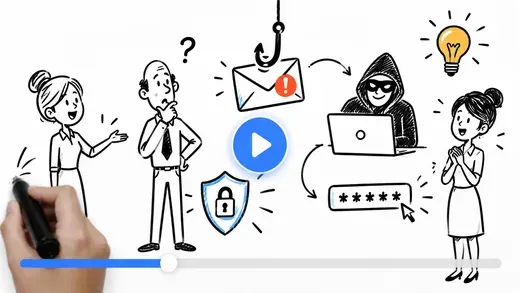 Doodle animation
 Just-in-time
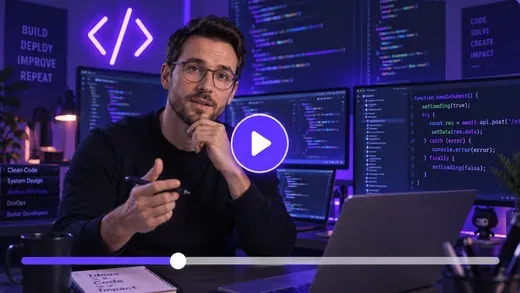 For developers
 Culture survey
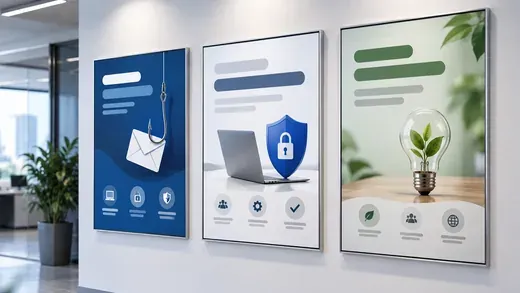 Posters
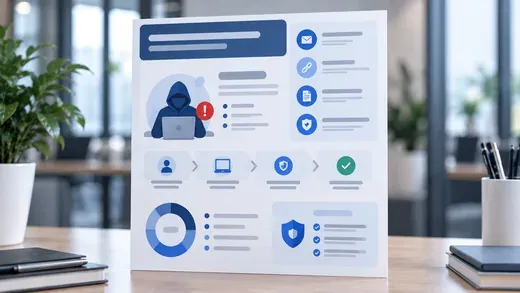 Infographics
 Screensavers
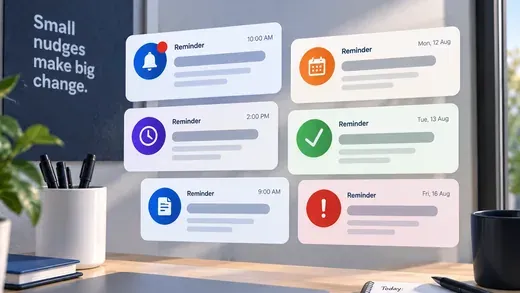 Reminders
 Certificates
 Badges
Courses teach it. Nudges and reminders keep it in mind.
- 7,300+Courses and modules
- 2,900+Posters
- 800+Screensavers
- 700+Infographics
Compliance training, mapped to 42 frameworks
259 behaviours, mapped to 11 frameworks you report against
Each behaviour links to the lessons that address it.
A set picked for each employee
- Risk
- Job title
- Department
- Behaviour
- Compliance needs
- Language and culture
Delivered where they already work
- Microsoft Teams
- SMS
- Your own LMS
Library counts as of 19 October 2026, and growing. What the library includes depends on your plan.
Trusted every day by security teams that measure behaviour, not attendance









Secure behaviour, measured on the same employees
Your own rate depends on template difficulty. The drop is what carries across.
Keepnet is listed among Gartner’s representative secure behavior management vendors. Gartner, September 2026[3]
Trained on paper, still hit in practice
How security awareness training works
Training that follows behaviour, not a calendar
Keepnet assigns each employee the lessons their own risk, role and behaviour call for, delivers them where they work, and measures whether it changed what they do.
1. Personalise
Each employee gets the lessons their risk, role and behaviour call for.
- Risk, job title and department
- Behaviour from simulations, Entra ID and Defender
- Compliance needs by role
2. Deliver and reinforce
Lessons arrive where employees work, and stay in mind between them.
- Email, Teams, SMS or your LMS
- Nudges and reminders between lessons
- Posters, screensavers and infographics
3. Measure
Whether the behaviour actually moved, and by how much.
- Completion, exam pass and certificates
- The same employees, before and after
- Badges, and a leaderboard if you want one
The real console, not a video
The training library, enrolments and reports in the console
Click to start a live preview
No form, no sales call. Best in landscape on a phone.
Start the tourThe interactive product tour of the Keepnet console
The tour will not open in this page
Your browser or network is blocking the embedded frame.
Open the tour in a new tab1 of 2
Just-in-time training
The lesson arrives with the click, or on the call
Email, SMS and QR simulations open it on the spot. Voice and callback simulations deliver it during the call or straight after.
Coaching page, at the click
You clicked a phishing simulation
You are not the only one. Here is what was in it.
FromAccounts Payable1
SubjectInvoice overdue, action required2
Linkintranet.acme-portal.co3
The display name is your finance director
The address behind it is not. The name shown in a mail client is set by the sender, so it can read correctly while the domain behind it is someone else's.
The request is urgent and small
Both at once is the pattern. Urgency shortens the check, and a small amount keeps the request below the threshold that would normally trigger one.
The link text looks like your intranet
The destination is a different host. Link text and link target are two separate things, and only one of them is checked by the employee's eye.
Produced for every template in the library, in that template's own language. Not a selected set, and not a fixed list reused across all of them.
In the moment
No mark against a name. The lesson opens on the message the employee just engaged with, or inside the call itself.
For the employee
Each cue is marked on the template itself, with the reason, in the language that template is in.
For the security team
The moment is recorded as a behaviour, and the next lesson follows from it.
Where it is already running
Pick the sector closest to yours, with published numbers as customers gave them.


In their words




Videos load from YouTube only when you press play.
This video will not play here.Watch it on YouTubeAgents that train, nudge and report, as far as you let them
Each one built from your own policies and each employee’s behaviour, in their language.
See the agents running in the console
ISO/IEC 42001 certifiedA worked example, not a live session.
Measurement
Know whether the training changed anything
The same employees, before and after, against your target and your sector. No black-box score: the reading shows the behaviours behind it.
Before, first simulationYour target
- Reported52%
- Clicked9%
- Submitted3%
- Repeat risky behaviour5%
| Measure | Before | Now | Target |
|---|---|---|---|
| Reported | 28% | 52% | 60% |
| Clicked | 18% | 9% | 8% |
| Submitted | 7% | 3% | 3% |
| Repeat risky behaviour | 12% | 5% | 5% |
The same employees, read against where they started.
NIS2 course, completed by department
- Finance96%
- HR93%
- IT88%
- Sales81%
- Operations74%
| Department | Completed |
|---|---|
| Finance | 96% |
| HR | 93% |
| IT | 88% |
| Sales | 81% |
| Operations | 74% |
Completion shows who sat the course. The next views show who changed.
Risky behaviour
- Submitted credentialsKeepnet simulation31%
- Downloaded the attachmentKeepnet simulation24%
- Approved the MFA promptEntra ID Protection14%
- Opened a flagged attachmentMicrosoft Defender11%
Positive behaviour
- Completed the module first time64%
- Reported before anyone clicked38%
| Behaviour | Share | Type | Detected by |
|---|---|---|---|
| Submitted credentials | 31% | Risky | Keepnet simulation |
| Downloaded the attachment | 24% | Risky | Keepnet simulation |
| Approved the MFA prompt | 14% | Risky | Entra ID Protection |
| Opened a flagged attachment | 11% | Risky | Microsoft Defender |
| Completed the module first time | 64% | Positive | Keepnet simulation |
| Reported before anyone clicked | 38% | Positive | Keepnet simulation |
Behaviour from Entra ID Protection, Microsoft Defender and Google SecOps lands here too.
Share of employees, this quarter
- Earned at least one badge68%
- Finished a course within 24 hours54%
- Opened their own dashboard47%
- Reported a real phishing email12%
| Measure | Share |
|---|---|
| Earned at least one badge | 68% |
| Finished a course within 24 hours | 54% |
| Opened their own dashboard | 47% |
| Reported a real phishing email | 12% |
Points, badges and department rankings in each employee’s own dashboard. The leaderboard can be turned off.
52%
Reporting rate, Feb to Sep
FebJunSep
In plain words
Reporting has gone from 28% to 52% in eight months, with the steepest climb between May and August.
What you can do
- Hold the monthly cadence
- Raise the target to 60%
- Repeat it for teams under 40%
Share of employees who engaged
- Submitted credentials31%
- Downloaded the attachment24%
- Replied to the sender18%
- Approved the MFA prompt14%
In plain words
Credential submission carries most of the risk, and it sits in two departments rather than spreading evenly.
What you can do
- Send the credential module to those teams
- Raise the difficulty for repeat submitters
- Add an MFA-fatigue simulation next month
Share of each team not finished
- Operations26%
- Sales19%
- IT12%
- HR7%
In plain words
Operations and Sales hold most of the unfinished NIS2 training.
What you can do
- Send a reminder to both teams in Teams
- Add their line managers to the weekly report
- Check completion again in seven days
| Month | Reported |
|---|---|
| Feb | 28% |
| Mar | 31% |
| Apr | 30% |
| May | 36% |
| Jun | 42% |
| Jul | 45% |
| Aug | 49% |
| Sep | 52% |
The picture, the plain words, and the decisions open to you.
Produce any of it as HTML or PDF, send each line manager their own team's results on a schedule, or pull the same figures through the API into Power BI. Real phishing that employees report goes to Incident Responder, with playbooks and rules under your control.
Metrics measured
- Training
- Enrolled, opened, started, completed, time to completion, exam score, first-attempt pass, certificate issued, reminders sent, survey responses.
- Delivery
- Sent, delivered, bounced, opened, delivery method, send window, time zone of delivery, language and locale served.
- Engagement
- Opened, engaged, clicked, link clicked, attachment opened, QR scanned, call answered, call duration, MFA prompt approved, data submitted, replied, forwarded.
- Reporting
- Reported, report rate, time to first report, median time to report, reported before first click, reported after click, false positive rate, reports per employee.
- Engagement
- Points, badges, training streaks, department ranking, leaderboard position (optional), real phishing reports confirmed.
- Behaviour
- Repeat risky behaviour, first-time risky behaviour, improvement since last simulation, positive behaviour, training completion, time to completion, module pass rate.
- Comparison
- By department, role, region, manager, location, tenure and language. Against your own target, your previous result and your sector benchmark.
- Difficulty
- NIST Phish Scale difficulty per template, cue count, premise alignment, and the difficulty mix across the campaign.
Multilingual security awareness training
Recreated in each language, not translated
Examples, names, currency and cultural cues change with the language. Each employee gets theirs from Entra ID, and can switch from the enrolment email.
Training
- FrançaisReconnaître les fausses factures
- DeutschGefälschte Rechnungen erkennen
- NederlandsValse facturen herkennen
Module 4 min
Enrolment email
- FrançaisVotre formation vous attend
- DeutschIhre Schulung wartet auf Sie
- NederlandsUw training staat klaar
Language Picked by the employee
Teams message
- FrançaisIl vous reste 3 minutes de formation
- DeutschNoch 3 Minuten bis zum Abschluss
- NederlandsNog 3 minuten training te gaan
Sent in Microsoft Teams
Practice call
- FrançaisBonjour, ici le service informatique
- DeutschHallo, hier ist der IT-Service
- NederlandsHallo, met de IT-servicedesk
Format Role-play
Three shown on each. Lessons, reminders and nudges run in the languages below, and the report is read in the manager's language.
61 languages and 89 locales for training
- English (UK)
- English (US)
- Deutsch
- Français
- Español
- Português (BR)
- Italiano
- Nederlands
- Polski
- Türkçe
- Čeština
- Română
- Magyar
- Ελληνικά
- Svenska
- Dansk
- 한국어
- ไทย
- Bahasa Indonesia
- Tiếng Việt
The evidence is published, not on request


Four current certifications, independently audited. Certificates and the full control set are published at doc.keepnetlabs.com/resources/compliance.
Security awareness training pricing
Priced per employee, scoped to what you run
Training is available on every plan, on its own or with the simulators. What the library includes depends on the plan.
It plugs into the stack you already run
Employees sync themselves, training arrives where they already work, and results go where your team already looks.
Identity and learning integrations
Joiners, movers and leavers arrive over SCIM, so target groups stay accurate without a spreadsheet. If training already lives in your LMS, Keepnet courses run inside it as SCORM.
Training delivery
Training arrives by email, in Teams, by SMS or inside your own LMS, with completions reported back to Keepnet.
Behaviour signals and reporting
Alerts from your security tools become named behaviours, and reported phishing goes to Incident Responder.
The things buyers ask
The questions we hear most often.
Software that assigns, delivers and tracks the training that helps employees recognise and report attacks. The useful ones also show whether behaviour changed, not just who completed a course.
Gartner describes the move beyond awareness as secure behaviour management, and lists Keepnet among the representative vendors in that market. Some analysts call the same category human risk management. Gartner, September 2026[3]
Many frameworks ask for a course at least once a year, and the library covers that. A yearly course alone rarely changes behaviour, so Keepnet adds a short lesson when an employee’s behaviour calls for one, with a cap per employee.
Nudges and reminders keep it in mind between lessons. See how it works.
From what the employee does. Simulation results, reports, and alerts from Entra ID Protection and Microsoft Defender are recorded as risky or positive behaviours, each with a severity, across a catalogue of 259 behaviours.
Each behaviour maps to lessons in the library, so repeated risk earns more practice and secure behaviour earns less noise. New hires and repeat clickers are grouped automatically, so nobody has to maintain a list.
Little day to day. Agents pick the lessons, schedule them, send the reminders and follow up after a simulation, and groups stay current over SCIM.
You approve each step, or let the agents run inside the rules you set. Line managers receive their own team’s results on a schedule.
Yes. Keepnet packages each course as SCORM for your LMS, and completions report back to both Keepnet and the LMS.
You can also upload your own SCORM 1.2 or 2004 courses and assign them alongside the library.
Nothing goes out until you approve it, unless you choose otherwise. Lessons are generated from the policies you upload, inside a global framework and your own organisation’s policy, and generated content is checked before it is released.
Personal data is removed before AI processing, and customer data is never used to train AI models. Deepfake is opt-in, and who appears in one is approved before it runs. Frequency is capped per employee, so training cannot turn into a daily stream. You can start with a pilot group, such as IT and security, before widening. See what the agents do.
The library has content in 61 languages and 89 locales, counted daily. Each employee receives training in their preferred language, taken from Entra ID, and can switch from the enrolment email.
Lessons are recreated for each language rather than translated, so examples, names and currency change with it.
Compare the same employees before and after, not who finished a module. Completion, click rate and reporting rate are all in the platform, and the reading that decides it is whether the behaviour moved.
Across Keepnet’s own data, an employee’s first simulated phishing email is the one they are most likely to click: 9.2%, falling to 4.8% across every simulation that follows, a 48% drop. Keepnet research, n=102,452 employees[1]
Each line manager can receive their own team’s results on a schedule, and the reading sits against the target you set and your sector. See the reading.
Yes. The library maps 200+ lessons to DORA, 200+ to NIS2 and 10,000+ to ISO/IEC 27001, across 42 frameworks, and issues a certificate on completion.
NCSC Assured courses from Bob’s Business and GoldPhish are in the library on plans that include them, and Keepnet’s own lessons follow NCSC guidance. DORA makes security awareness programmes compulsory for staff and senior management at EU financial entities.
Yes. Training is available on every plan, and every Keepnet product can be bought on its own. What the library includes depends on the plan.
Prices are published up to 1,000 employees and quoted above that. See the full price list and features.
Employees arrive over SCIM from Entra ID or your own directory, so groups, joiners and leavers stay current. Courses you already own as SCORM can be uploaded and assigned alongside the library.
Whitbread moved to Keepnet from KnowBe4, and now schedules six months of phishing simulations for around 32,000 employees in one go. Read what they did.
Your first campaigns set the baseline, and the before and after reading runs from there.
Each comparison is published in full, with its sources: KnowBe4, MetaCompliance, Hoxhunt, Adaptive Security, Proofpoint.
A vendor’s own comparison is a starting point rather than the verdict. Keepnet Labs has a rating of 4.9 out of 5 based on 104 ratings in the Security Awareness Computer-Based Training market on Gartner Peer Insights as of October 2026, and 5.0 out of 5 based on 46 reviews on Capterra as of October 2026.
See Keepnet with your organisation in mind
- See training assigned from behaviourSimulation results and your security stack decide who gets which lesson.
- Generate a lesson from your own policyIn your languages, approved before anyone sees it.
- Read the before and afterThe same employees, against your target and your sector.
- Try it on your own employeesIf it fits, a proof of value follows, on your timeline.

Book a demo
Thirty minutes, no cost and no obligation.
Thank you, your request is in
A confirmation is on its way to your inbox.
Thirty minutes with the Keepnet team, on Microsoft Teams. Your details are already filled in.
Prefer to pick a time later? The team will follow up within one working day.
Your demo is booked
A calendar invite is on its way to your inbox, with a Microsoft Teams link.
The booking calendar will not open in this page.
Open the calendar in a new tabSources
- Keepnet anonymised customer research, email phishing simulations delivered 1 January 2020 to 29 September 2026. Employee figures: employees who received at least 12 simulations (n=102,452 employees across 158 organisations); 4.8% is the mean across simulations 2 to 12, not a single simulation. Organisation figures: median organisation, n=158 organisations. Across every cohort size tested the drop ranged from 31% to 50% (employees) and 51% to 69% (median organisation, 6 to 12 simulations).
- Keepnet platform data, cumulative to October 2026: unique employees who have received at least one Keepnet phishing simulation or training module.
- Gartner, “Ditch Security Awareness and Adopt AI-Powered Secure Behavior Management” (G00860839, September 2026), 2026 Gartner CISO Role Survey (n=297).
- Gartner, “6 Ways to Transform Your Cybersecurity Awareness Program” (G00840741, March 2026), 2025 Secure Behavior Strategies Survey (n=65).
- Verizon, 2026 Data Breach Investigations Report, p. 12.
- Methodology for Keepnet research: doc.keepnetlabs.com/resources/research-methodology.