Email threat simulator



Email security testing that shows what your gateway lets through
Send the attacks to a test mailbox and see what reaches the inbox.
Test what your email security actually misses
8,300+ attack vectors across 215 file types, sent to a test mailbox.
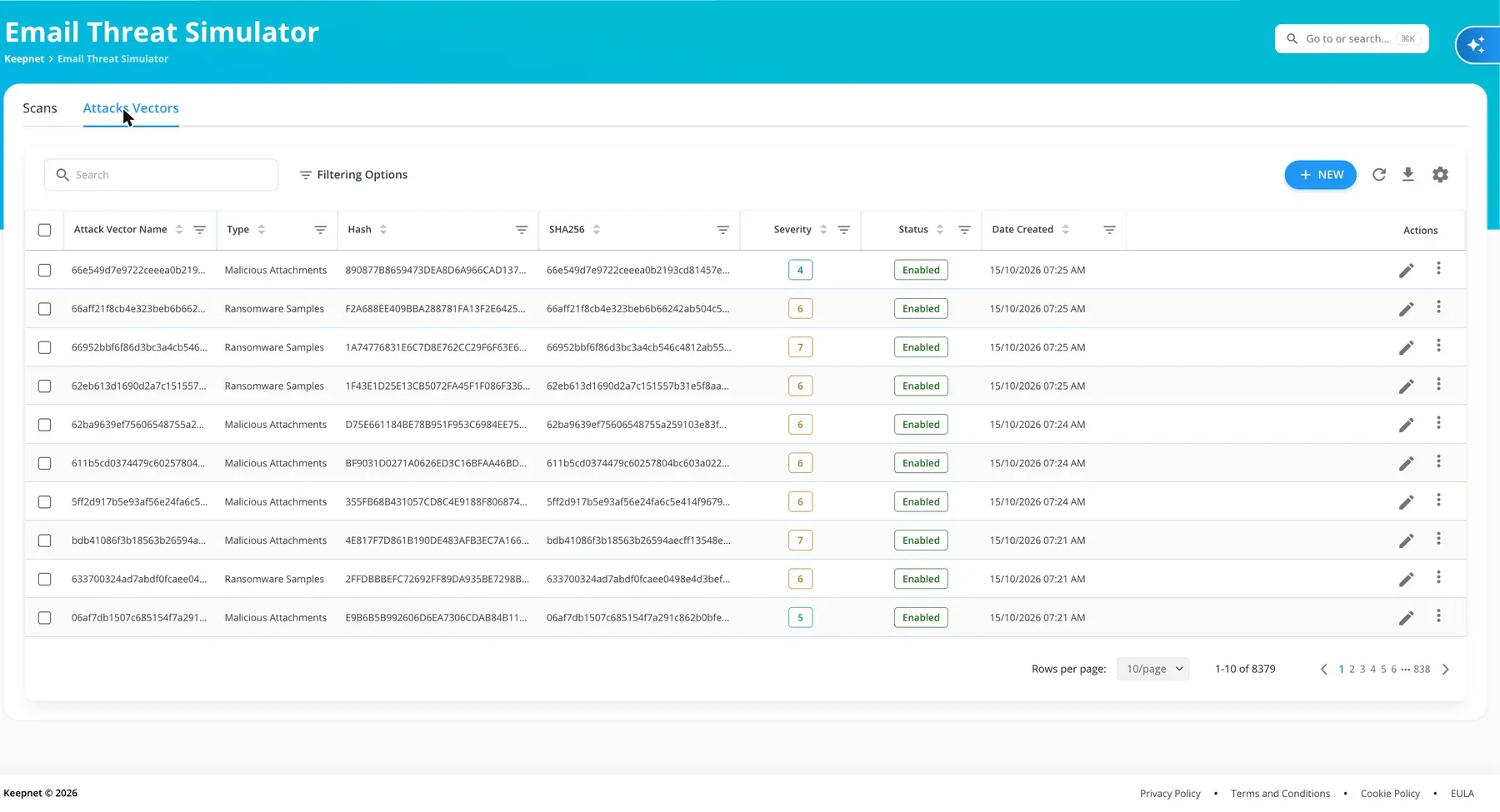
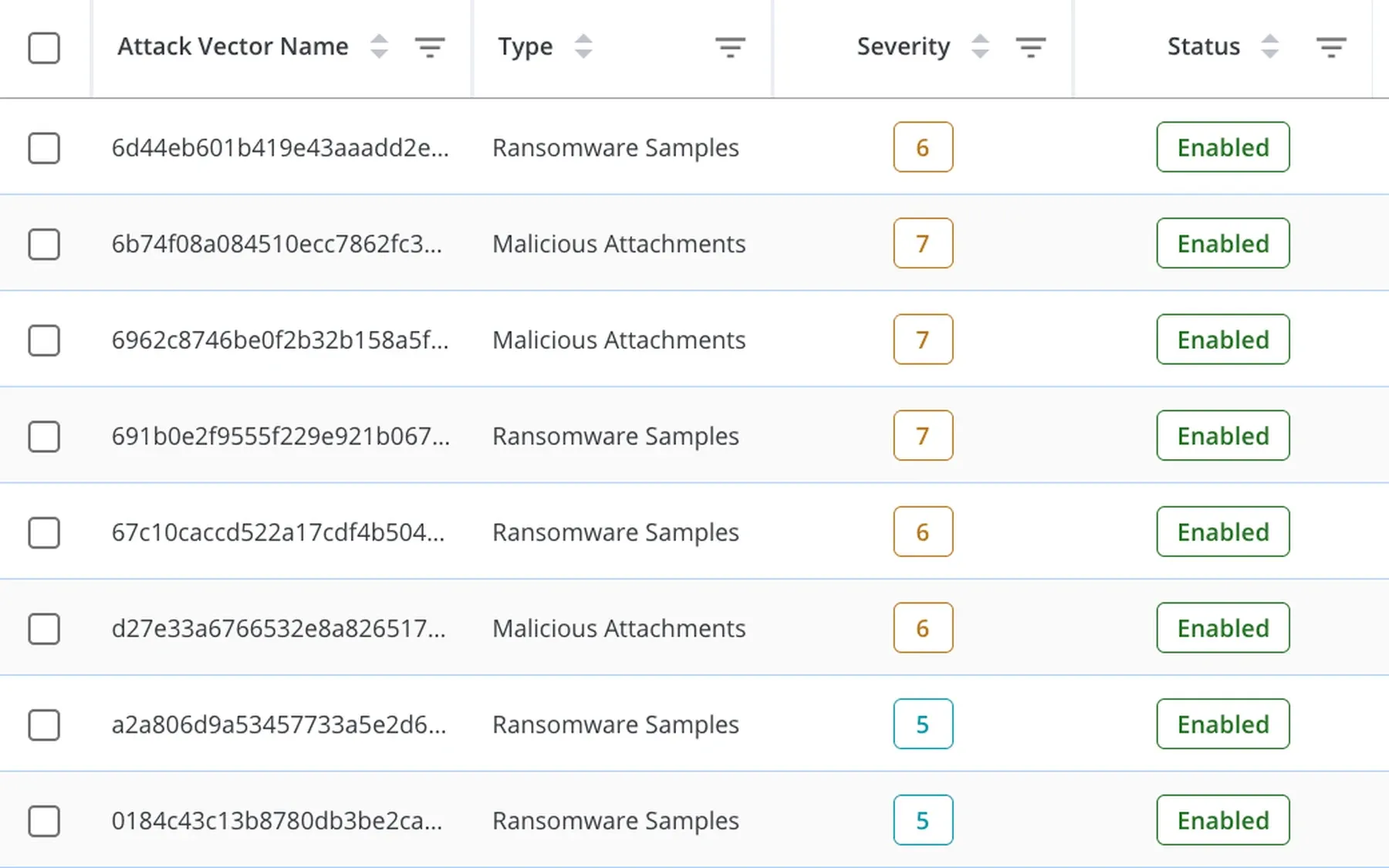
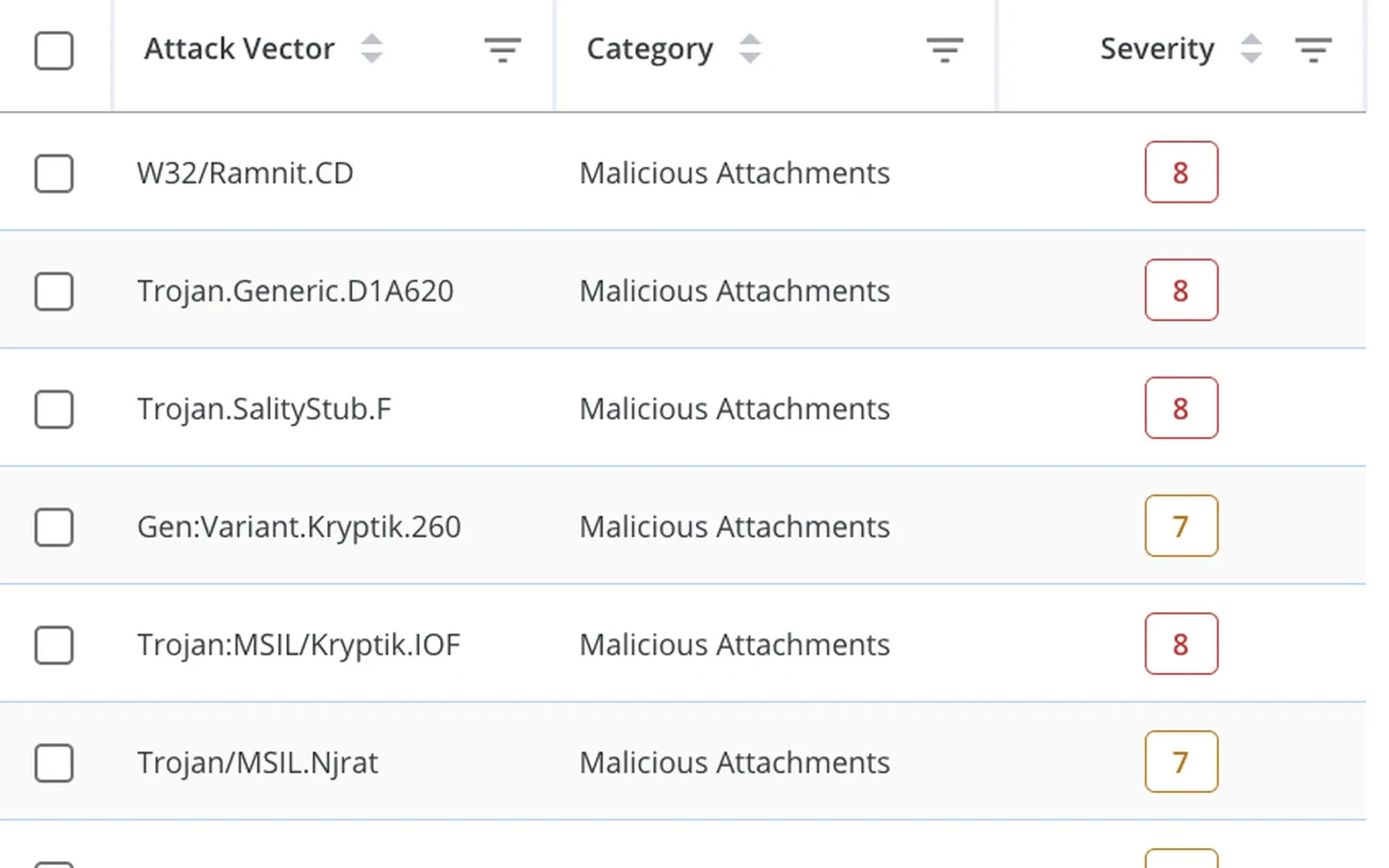
Every attack sample you can send, each with its severity.
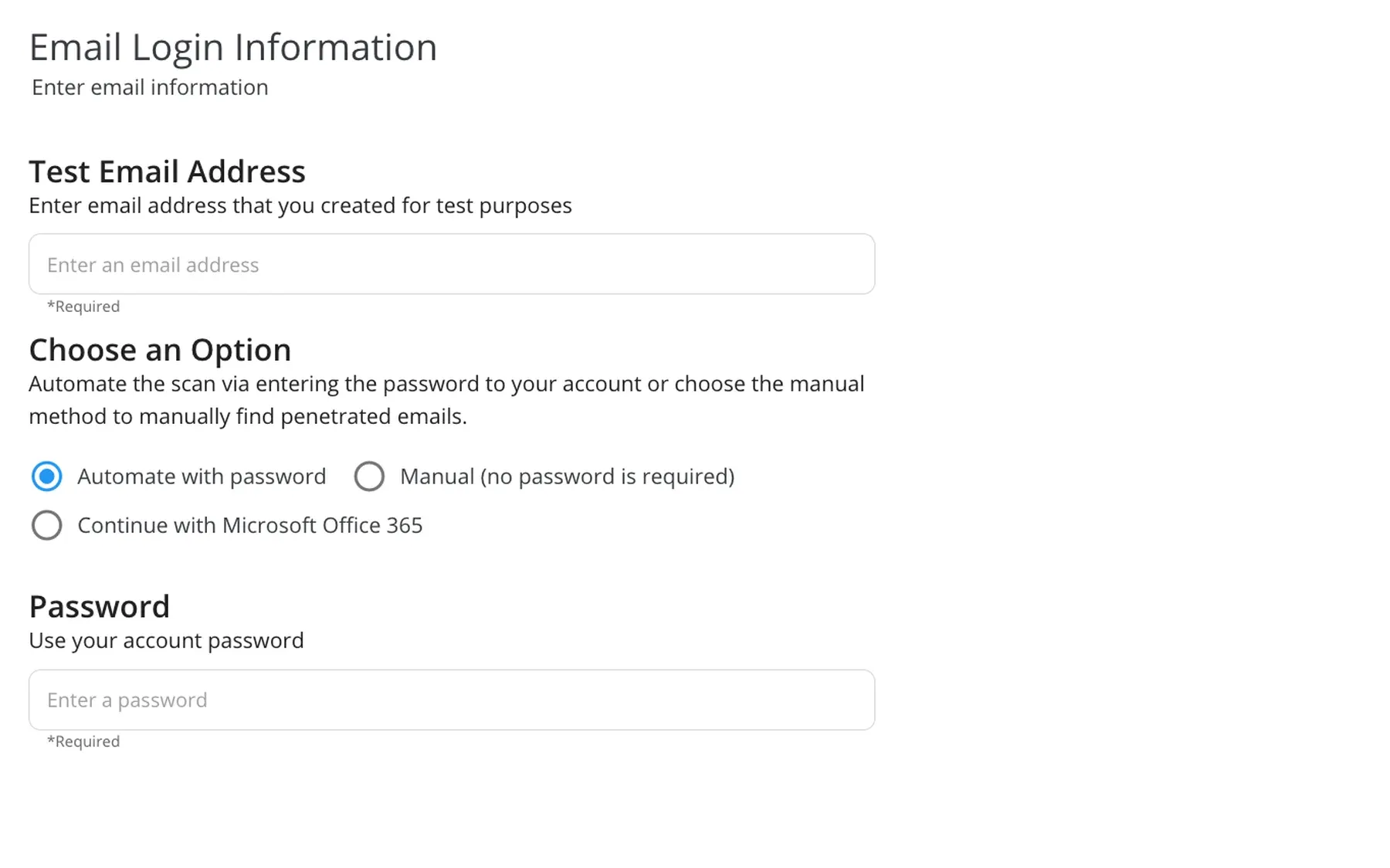
A test mailbox, scanned once or continuously.
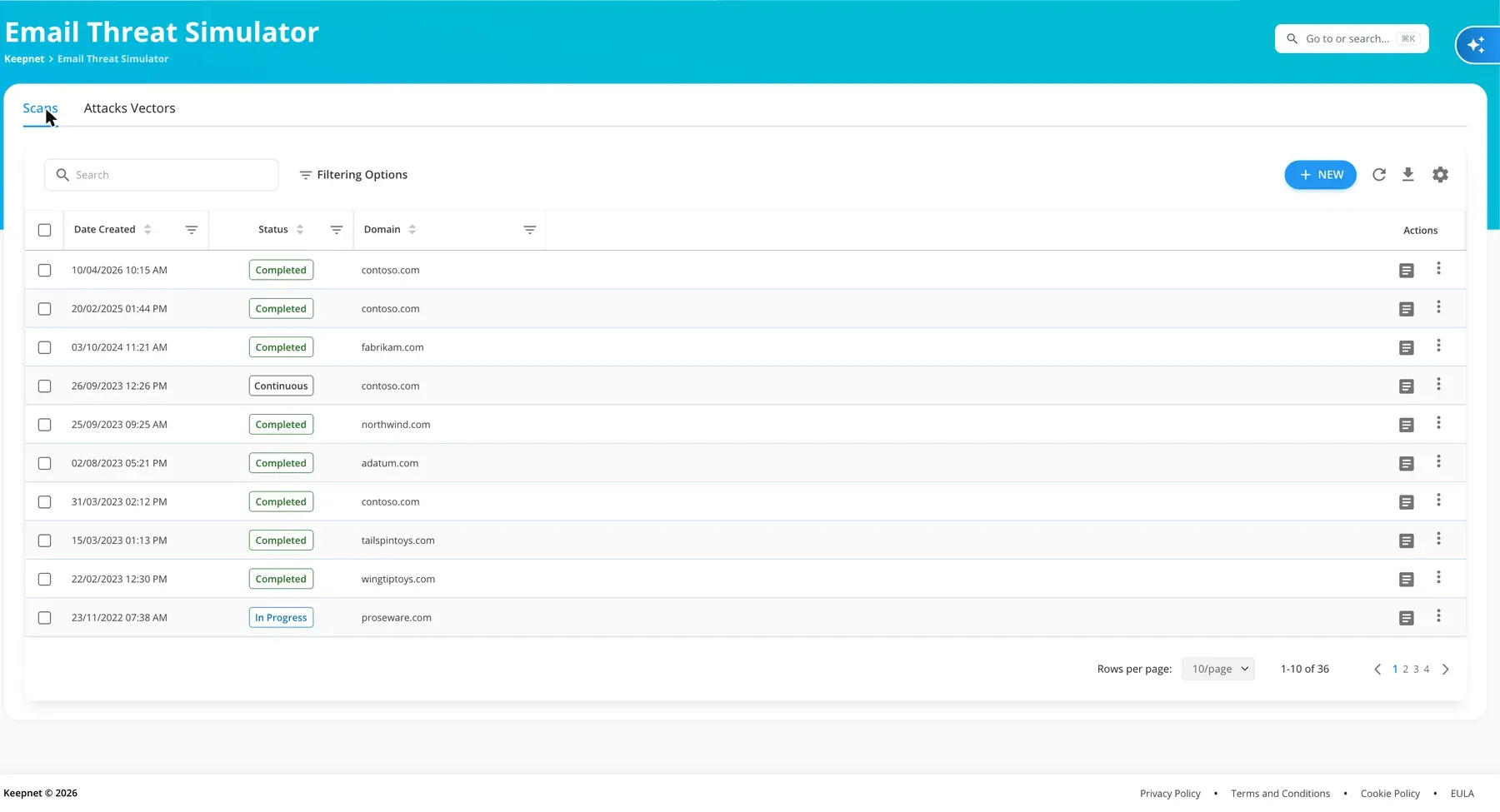
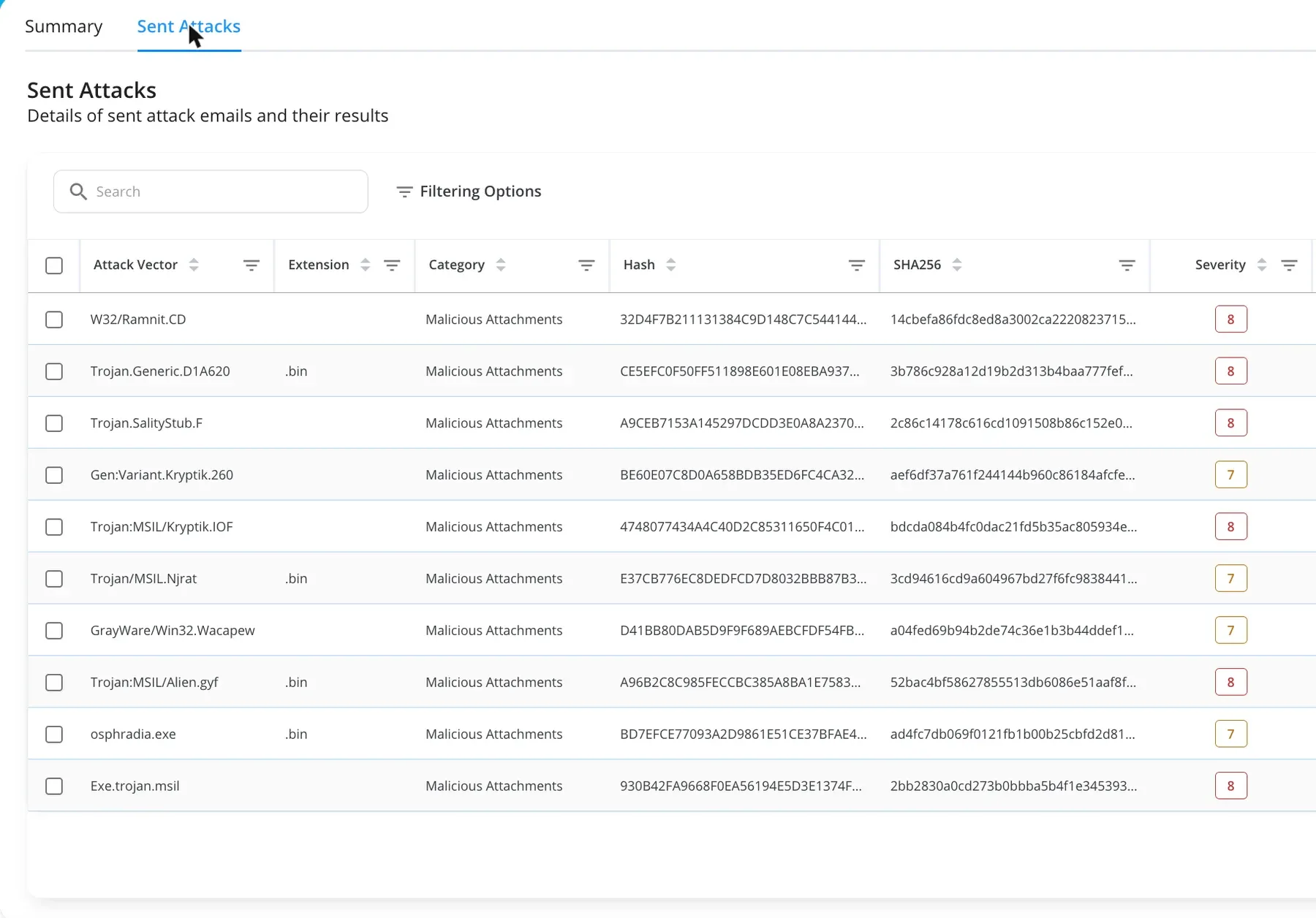
A result for every sample, and the gap in one score.
Every attack sample you can send, each with its severity.
This tests the controls. To practise with employees, see the multi-channel phishing simulator.
Trusted every day by security teams that measure behaviour, not attendance










Yesterday's gateway, today's attacks
How email security testing works
Connect, send, fix
1. Connect
Point it at a test mailbox.
- On your gateway, Microsoft 365 or Google Workspace
- No change to live mail flow
- One scan or continuous
2. Send
The attack samples, sent in minutes.
- 8,300+ vectors across 215 file types
- Malware, ransomware and exploits
- Add your own vectors
3. Fix
Close the gaps before an attacker finds them.
- A result for each sample, blocked or reached the inbox
- An overall email defence score
- Tracked over time, so you see it close
The controls between the internet and the inbox
Secure email gateway
Whatever sits in front of your mail.
Microsoft 365
Exchange Online Protection and Defender.
Google Workspace
Gmail's built-in protections.
Sandbox
Whether detonation catches the sample.
DLP
What leaves, as well as what arrives.
Your own rules
Add vectors to test a specific control.
The attacks a gateway has to catch
- 8,300+attack vectors
- 215file types covered
- 1,600+ransomware samples
Figures from the Keepnet content library, as of 19 October 2026.
Malicious attachments
Documents, archives and file-format exploits.
Ransomware samples
1,600+, kept current.
Your own vectors
Upload a sample to test a specific gap.
Controls drift, so keep testing
Run it continuously
A standing scan, not a one-off check.
New vectors, added for you
The library grows as new attacks appear.
A score to track
Watch the gap close, scan over scan.
See what reached the inbox, in one report
A result for every sample, the gaps grouped by attack type, and a score to track.
What reached the inbox
A result for every sample: blocked, or through to the inbox.
Where the gaps are
Grouped by attack type, so you close the biggest first.
Evidence for your review
Export a report your security review and board can read.
Every result is traced to the sample that produced it, with its hash and severity, so your team can reproduce it.

Questions to ask an email security testing vendor
| Question | Keepnet |
|---|---|
| How many attack vectors are there? | 8,300+, across 215 file types. |
| Does it touch live mail? | No. Samples go to a test mailbox only. |
| Does it test Microsoft 365 and Google Workspace? | Yes, and the gateway in front of them. |
| Can we add our own samples? | Yes. |
| Can it run continuously? | Yes, with new vectors added over time. |
| Can we buy it on its own? | Yes. |
The evidence is published, not on request


Four current certifications, independently audited. Certificates and the full control set are published at doc.keepnetlabs.com/resources/compliance.
Pricing
Buy the email threat simulator on its own
Priced per employee, as part of the secure behaviour management platform.
See the plan prices- Pay only for what you runStart with one simulator and add the rest later.
- Priced per employeeThe more employees you cover, the less you pay per employee.
- Add to what you runEmail security testing alongside your phishing, voice, SMS and QR code simulations, in one console.
- Try before you commitTry and buy, or a proof of value with your own employees.
"It would be unfair to single out just one feature. The mail scenarios and customisable training modules are particularly excellent."
"It's a really great platform with a lot of flexibility to ensure our requirements are met. Onboarding was friendly, enjoyable, and thorough."
"It's super easy and intuitive to setup campaigns, whilst making it easier for end-users to report phishing emails."
"The product itself works great on day one and delivers immediate value as our team was able to get started with our phishing exercise program immediately."
"It has been consistent, reliable, and implementations over time shows that they really listen customer feedback."
"We've seen a noticeable improvement in how employees react to suspicious emails or phone calls- because they remember the stories."
"Within minutes, we can create realistic, scenario-based templates specific to our organization, reducing setup time while increasing the relevance of training."
"The simulations and campaigns are very customisable and realistic."
"Thanks to Keepnet's Incident Response tool, we reduced the e-mail analysis and response time, which used to take hours, to 2 minutes."
Keepnet Labs has a rating of 4.9 out of 5 based on 104 ratings in the Security Awareness Computer-Based Training market on Gartner Peer Insights as of October 2026. GARTNER is a registered trademark and service mark, and PEER INSIGHTS is a trademark and service mark, of Gartner, Inc. and/or its affiliates, and are used herein with permission. All rights reserved. Gartner Peer Insights content consists of the opinions of individual end users based on their own experiences, and should not be construed as statements of fact, nor do they represent the views of Gartner or its affiliates.
What buyers ask about email security testing
Short answers first. New to the topic? Read email security gap analysis.
An email threat simulator sends real attack samples to a dedicated test mailbox and shows which ones your email security controls block and which reach the inbox.
It tests the controls, not employees, so you can see and close the gaps.
Email security testing measures whether your secure email gateway, Microsoft 365 or Google Workspace stops today's attacks. Keepnet runs it by sending known malicious samples to a test mailbox and recording the result for each one.
You connect a test mailbox, choose the attack vectors and run a scan. Keepnet sends the samples, checks what arrived, and reports which were blocked and which reached the inbox.
Secure email gateways, Microsoft 365 and Google Workspace, and the sandbox and DLP controls behind them.
It is the gap between the attacks your controls should stop and the ones that reach the inbox. The Email Threat Simulator measures that gap sample by sample and tracks it over time.
A result for every attack sample, blocked or reached the inbox, grouped by attack type, with an overall score to track scan over scan.
Each result is traced to the sample that produced it, with its hash and severity, and the report exports for your security review.
8,300+ attack vectors across 215 file types, including 1,600+ ransomware samples, malicious attachments and file-format exploits. You can add your own.
No. Samples go only to a dedicated test mailbox, never to employees. To practise with employees, use the phishing simulator.
It is focused on the email channel: it validates email security controls rather than the whole security stack.
Controls and attacks both change, so a continuous scan keeps the result current as new attack vectors are added.
Yes. It can be bought on its own, or inside a plan with Keepnet's simulators and training.
See it against your own controls
- Connect a test mailboxOn your gateway, Microsoft 365 or Google Workspace.
- Run a scanThe attack samples, sent in minutes.
- See what got throughBlocked or reached the inbox, sample by sample.
- Close the gapWhat to change, and a score to track.

Book a demo
Thirty minutes, no cost and no obligation.
Thank you, your request is in
A confirmation is on its way to your inbox.
Thirty minutes with the Keepnet team, on Microsoft Teams. Your details are already filled in.
Prefer to pick a time later? The team will follow up within one working day.
Your demo is booked
A calendar invite is on its way to your inbox, with a Microsoft Teams link.
The booking calendar will not open in this page.
Open the calendar in a new tabSources
- Keepnet console, dash.keepnetlabs.com, read 16 and 17 October 2026: Email Threat Simulator scans, the attack vector library, sent-attack results and the scan report (a result line per sample, with the attack breakdown by type). Domains and names are fictional.
- Keepnet content library statistics, stats.keepnetlabs.com, 19 October 2026: Email Threat Simulator attack vectors, file types and ransomware samples.
- Microsoft Security Blog, Email threat landscape: Q1 2026 (30 April 2026): 78% of email threats were link-based. Microsoft Threat Intelligence detections, not a global census.
- CrowdStrike, 2026 Global Threat Report, p. 9: 82% of detections in 2025 were malware-free, up from 51% in 2020.
- Keepnet documentation, Email Threat Simulator.
Page reviewed