Ransomware in 2025: Lessons from Locky and Modern Defense Strategies
Locky ransomware may be inactive, but its tactics still influence today’s threats. Learn lessons from Locky and discover how to defend against ransomware in 2025 with security awareness training, advanced threat simulations, and proactive data recovery measures to protect your business effectively.

On this page 10 sections
In 2024, ransomware attacks have become increasingly sophisticated, with groups like LockBit leading the charge. A significant attack in May targeted Canadian retail chain London Drugs, causing operational disruptions and raising concerns about stolen customer data. LockBit’s use of advanced encryption and data exfiltration tactics underscores the growing vulnerability of retail businesses to such threats. Learn more: What Is Ransomware.
In this blog, we’ll explore what makes ransomware like Locky and similar strains so dangerous, how these attacks work, and how your organization can implement effective defenses.
What is Locky Ransomware?
Locky is a notorious ransomware strain that emerged with the capability to encrypt files on both local drives and unmapped network shares. It gained infamy for its ability to render critical data inaccessible by altering filenames, further complicating recovery efforts. Locky’s impact on businesses worldwide has been significant, causing financial and reputational damage to unprepared organizations.
How the Locky Attack Works
Locky typically enters systems via phishing emails designed to appear credible and urgent. These emails often feature subject lines like “ATTN: Invoice J-98223146”, prompting users to open an attached Word document. Upon opening, the document displays scrambled content and urges users to enable macros, a seemingly harmless action that unleashes the ransomware.
Once enabled, the macro downloads a malicious executable file to the %Temp% folder, initiating the ransomware’s encryption process. Locky encrypts a wide range of file types, renames them with unique extensions, and locks users out of their own data.
Social Engineering Tactics Used
The success of Locky ransomware relies heavily on its clever use of social engineering to manipulate users. Common tactics include:
- Urgency: Attackers craft emails to create a sense of immediate action, such as addressing unpaid invoices or urgent requests.

- Familiarity: Messages are designed to mimic legitimate business communications, increasing their trustworthiness.

Why Locky is a Significant Threat
Locky’s ability to encrypt files on network shares, including unmapped ones, significantly amplifies its damage potential. Additionally, its practice of renaming files during encryption adds an extra layer of complexity to recovery efforts.
What makes Locky particularly challenging is the absence of reliable public decryption tools, leaving victims with limited options: pay the ransom or face potential data loss. This underscores the importance of robust preventative measures to counter such attacks.
Keepnet platform
Turn awareness into secure behaviour
Training, multi-channel phishing simulations and reporting in one platform, measured by behaviour.
Recommended Defensive Measures
Organizations can adopt a multi-layered approach to protect against ransomware like Locky:
- Backup and Restore Procedures
Regularly maintain offline backups to ensure rapid recovery without paying a ransom.
- Macro Security Settings
Configure Microsoft Office settings to disable all macros except digitally signed ones, minimizing a key infection vector.
- Establish Trusted Locations
Restrict macros to run only from trusted sources, reducing exposure to malicious files.
- Security Awareness Training
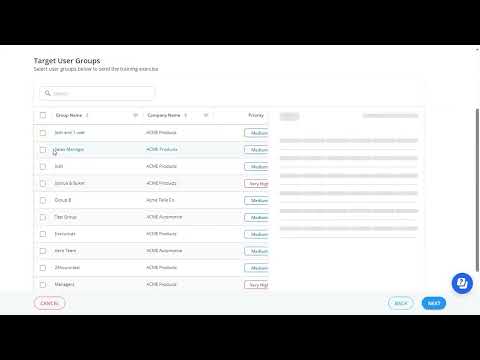
Educate employees to recognize phishing tactics and understand the risks of enabling macros. Access resources like Keepnet Security Awareness Training.
- Endpoint Protection Tools
Deploy Endpoint Detection and Response (EDR) solutions to detect and block ransomware before it can encrypt files.
For a comprehensive approach to resilience, consider tools like Keepnet's platform for human risk management and secure behaviour management.
How to Implement Macro Security Policies
To fortify defenses against macro-based attacks, IT administrators should:
- Open the Trust Center in Microsoft Office.
- Adjust settings under Macro Settings to disable all macros except digitally signed ones.
- Regularly update trusted locations to ensure only verified sources are permitted.
Following these steps minimizes risks from malicious macros. Test your organization’s readiness with our Phishing Simulator.

The Importance of Security Awareness Training
Human error is a critical factor in successful ransomware attacks. Security awareness training equips employees to identify phishing attempts and avoid enabling malicious macros.
Regular phishing simulations can highlight gaps in employee awareness and provide insights for tailored training. Organizations that invest in this proactive approach report significantly fewer incidents of successful attacks.
Learn how to enhance your workforce’s resilience with our Security Awareness Training.
How Keepnet Helps Against Ransomware Like Locky
Keepnet, a secure behaviour management platform, helps you combat ransomware threats like Locky by changing the employee behavior attackers rely on. It offers:
- Phishing Simulators to test and train employees against phishing attacks.
- Security Awareness Training tailored to specific organizational needs.
- Incident Responder to streamline the detection, reporting, and mitigation of suspicious activities.
Empower your organization to stay ahead of emerging threats by auditing your macro security policies and fostering a vigilant workforce.

Where the Real Risk Shows Up
Ransomware in : Lessons from Locky and Modern Defense Strategies usually creates damage through knock-on effects such as identity abuse, reporting delays, weak recovery paths, and confused ownership. That is why technical controls matter, but they are rarely enough on their own. Teams also need clear response steps and practice around the workflows that break first under pressure.
The strongest approach is to connect prevention with recovery. A team should know how the issue is discovered, who validates it, which systems are checked next, and how business impact is reduced before the problem spreads.
Keepnet teams usually see the biggest exposure when ownership is fuzzy in the first hour. For most organizations, the practical issue is not whether ransomware in : lessons from locky and modern defense strategies is dangerous. It is whether the right people can verify, contain, and communicate quickly enough when the warning signs appear.
Response Checklist
- Review where the risk intersects with identity, email, payment, or remote access workflows.
- Document who owns validation, containment, and communications during the first hour.
- Train the users most likely to spot the first warning sign.
- Test recovery and escalation paths before a live incident forces the issue.
Frequently asked questions
Locky was an early large scale ransomware campaign delivered through email attachments containing malicious macros, which established the pattern most later families followed.
An invoice styled email carried a document that asked the user to enable macros, which downloaded and executed the payload, encrypted local and network accessible files, then displayed a ransom note.
Familiar business documents, invoices, scanned files and delivery notices, plus an instruction to enable content that looked like a normal formatting prompt.
Delivery still depends on a person acting, macros and their modern equivalents remain a common route, and backups that are reachable from the compromised account are not backups.
Block macros from the internet by policy, patch exposed services, enforce multi-factor authentication, segment networks, keep offline tested backups, and shorten reporting time. Ransomware appeared somewhere in the chain of 48% of breaches (Verizon, 2026 Data Breach Investigations Report, 2026, p. 29).
Because the initial email still has to be opened and acted on, and a fast report is the difference between one encrypted device and an encrypted environment.
Schedule your 30-minute demo now
You'll learn how to:
- Simulate realistic phishing scenarios to enhance employee vigilance.
- Customize security awareness training modules to address your organization’s unique vulnerabilities.
- Track user behavior and measure risk levels with Keepnet’s advanced reporting tools.
30 minutes with a Keepnet specialist, on your own use cases.

Author
Ozan Ucar
Founder and CEO, Keepnet
Ozan founded Keepnet in 2017 and has worked in cyber security since 2006. He leads Keepnet's product direction and works with security teams on measuring and changing the behaviours behind incidents.